QR code menu for restaurants
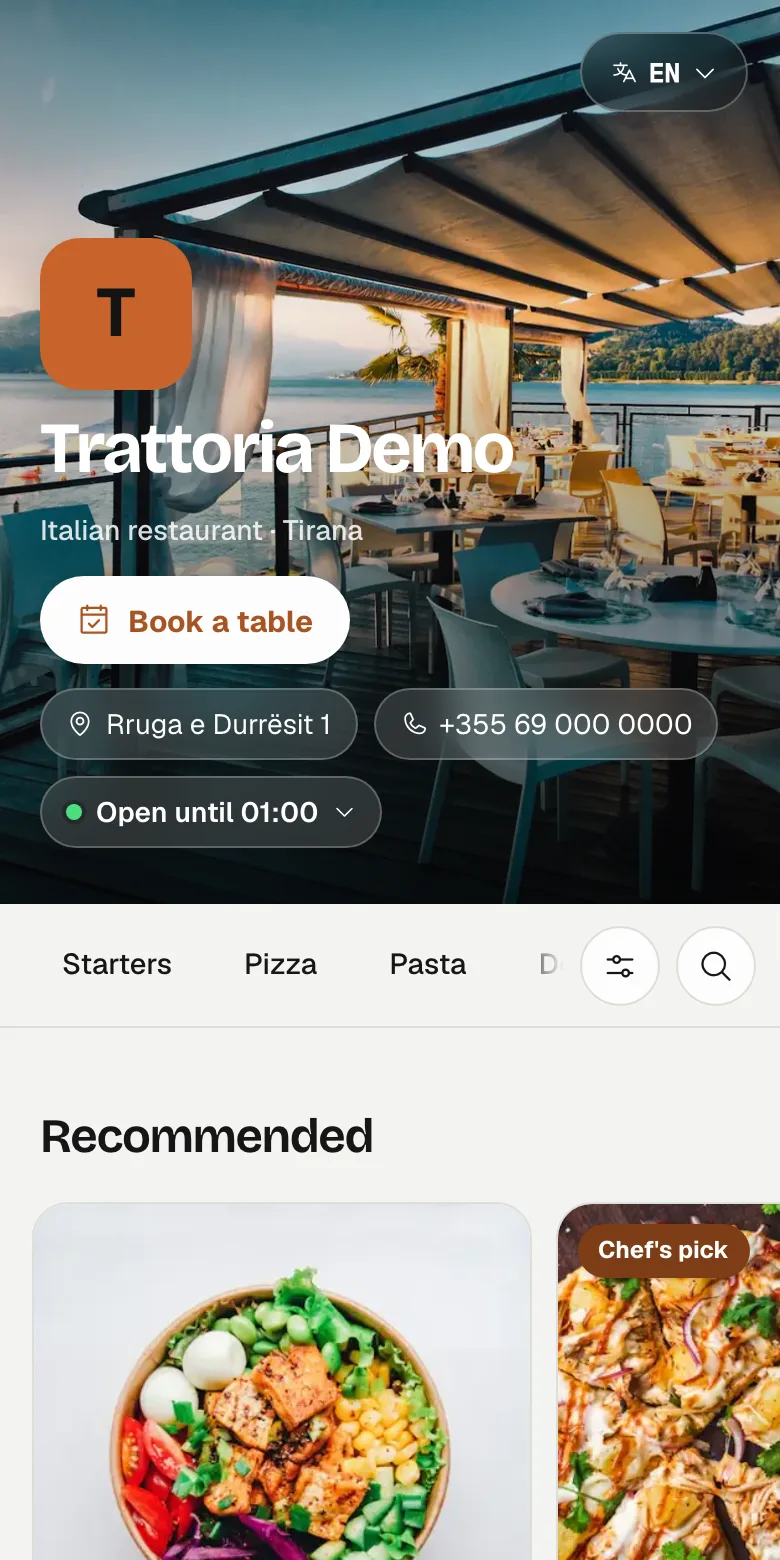
A QR code menu is a digital menu that guests open by scanning a code on the table with their phone camera, with no app to install. My Quick Menu is a restaurant platform from Tirana, Albania that gives restaurants a QR digital menu, a website and online table bookings from one dashboard, starting at €5 a month.
Last updated

What is a QR code menu?
It is your menu as a web page. Each table gets a printed QR code; a guest points their phone camera at it and the menu opens in the browser in a second or two. Nothing to download, no account to create.
With My Quick Menu the menu lives in one place, your dashboard. The QR codes on the tables, the link in your Instagram bio and your restaurant website all show that same menu, so a change you make is the change every guest sees.
Why restaurants switch from printed menus
A printed menu is out of date the moment a price changes or a dish runs out. A QR menu is updated in seconds: change the price in the dashboard and the next guest who opens the menu sees it. Mark a dish as sold out at 19:40 and it is greyed out (or hidden, if you prefer) straight away.
Tourists read the menu in their own language. You write each dish once and add translations; guests switch language with one tap. My Quick Menu supports English, Albanian, Italian, German, French, Spanish and Turkish, and the dish form can suggest translations for you to check.
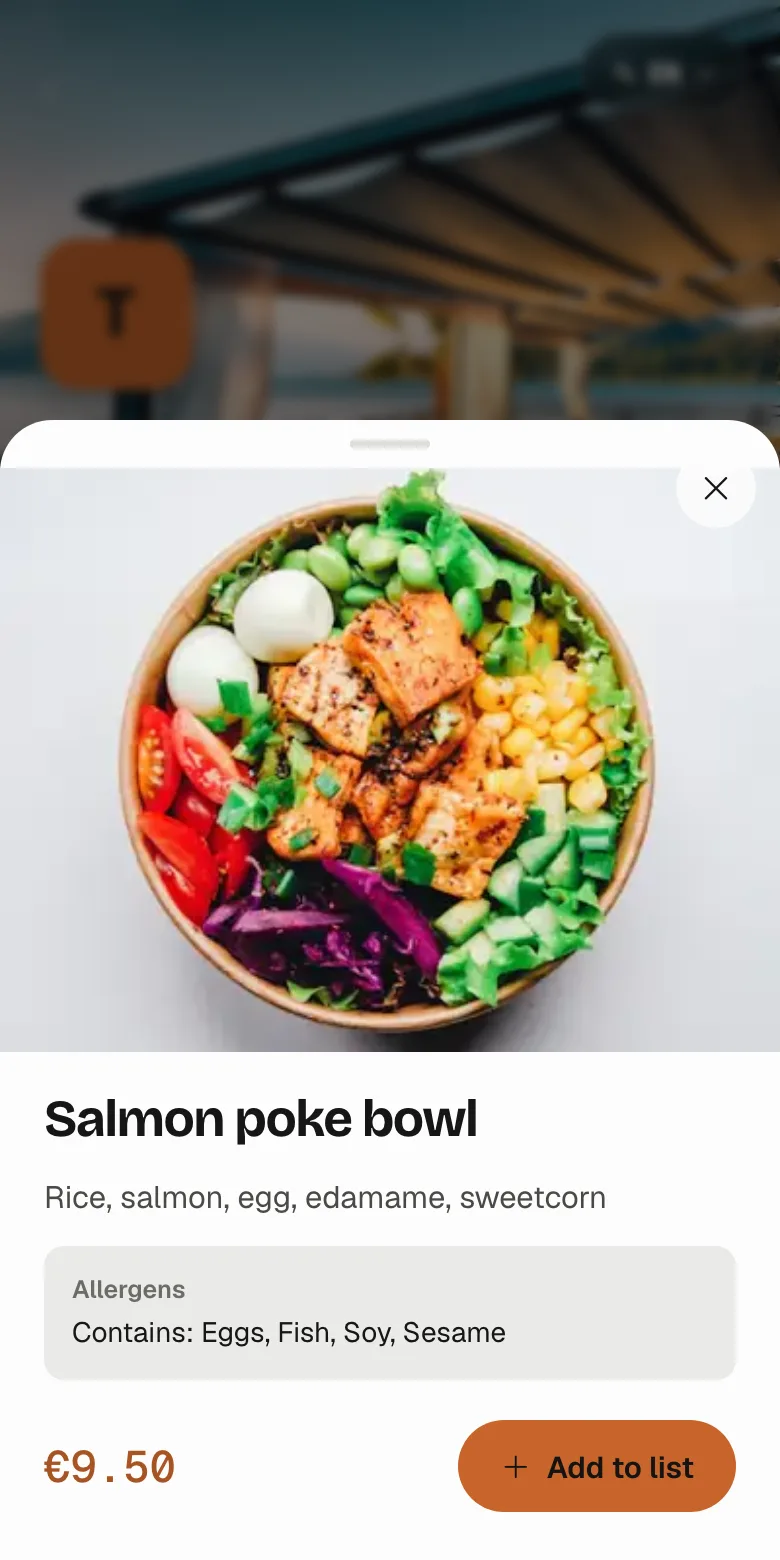
- Photos of every dish, with featured dishes and badges such as Chef's pick, New or Today's special
- The 14 allergens of EU Regulation 1169/2011 on every dish, plus vegan, vegetarian, gluten-free, halal and spicy tags guests can filter by
- Sizes and add-ons, so a pizza can come in two sizes with extra toppings
- Serving times per category, for example breakfast until 11:00 or a weekday happy hour, greyed out or hidden at other times
- Prices in your own currency (20 currencies, including the Albanian lek and the euro)
How much does a QR menu cost in Albania?
The digital menu plan costs €5 a month per branch, with a 14-day free trial and no card needed to start. Prices are shown without VAT; VAT is added on the invoice where it applies.
The menu is the base of every plan. Table ordering with a kitchen display, a restaurant website, online bookings and management tools are optional modules you can add per branch whenever you need them. See the full pricing.
Can guests order from the table?
Yes, with the ordering module. Every table has its own QR code with a table code, so the kitchen knows exactly where an order comes from. Guests add dishes to their list and send the order; it appears instantly on the kitchen display, and the guest can follow its status on their phone. The kitchen can pause orders during a rush, and orders are not accepted outside your opening hours.
Does the menu work without internet?
Once a guest has opened your menu, it keeps working if the Wi-Fi drops: the phone keeps a copy and says when it was saved. Guests can also add it to their home screen like an app, with your logo and colours.
Everything a menu needs
-
7 languages
English, Albanian, Italian, German, French, Spanish and Turkish. Guests switch in one tap.
-
14 EU allergens
Declared per dish. A dish without a declaration is never shown as safe.
-
Diet filters
Vegan, vegetarian, gluten-free, halal and spicy, filterable by guests.
-
Instant updates
Prices, photos and sold-out dishes change on every table at once.
-
Your brand
Your logo, banner and colours, taken from your logo automatically and adjustable.
-
Menu insights
Views, opened dishes and languages used, without cookies or personal data.
How it works
Create your branch
Name, address, logo and banner. Each branch gets its own menu, colours and link.
Add your dishes
Categories, prices, photos, allergens and translations. Reorder them by dragging.
Print your QR codes
Table tents (2 per A4 sheet) or stickers (12 per A4), one per table or one for the whole room.
QR menu, printed menu or PDF?
| My Quick Menu | Printed menu | PDF menu | |
|---|---|---|---|
| Change a price | Seconds, everywhere at once | Reprint every copy | Edit the file and upload it again |
| Languages | 7, chosen by the guest | One per print run | One per file |
| Allergens and diet filters | Per dish, filterable | Printed text | Text in the file |
| Sold-out dishes | One tap | Not possible | Not possible |
| Readable on a phone | Built for phones | Not applicable | Zoom and scroll |
| Ordering from the table | Optional module | No | No |
Pay for what you use
Every plan starts with the menu. Add the rest per branch, switch it off when you don't need it. 14 days free, no card needed.
Questions about QR menus
Do guests need to download an app?
No. The menu opens in the phone's browser after scanning the QR code with the camera. Guests can optionally add it to their home screen.
How do I print the QR codes?
From your branch page: choose table tents (2 per A4 sheet, folded in half) or stickers (12 per A4), with one QR code per table or one for the whole restaurant, and print them on any printer.
What happens to my QR codes if I rename the restaurant?
They keep working. When a new name changes the menu link, the old link and every printed QR code redirect to the new one.
Which languages can my menu have?
English, Albanian, Italian, German, French, Spanish and Turkish, in any combination. You choose the main language your link opens in; guests can switch to the others.
Is my menu taken offline if a payment is late?
No. Public menus stay online even if an invoice is late, because guests are reading them at the table. Other features pause until the account is up to date.
Can I try it before paying?
Yes. Every plan starts with a 14-day free trial and no card is needed.
Put your menu on every table today
Start with the digital menu and add a website, bookings or ordering whenever you want.
Start free trial